Operation History
Operation History is Zipoly's compression log: every model compression job — including each file inside a batch task — is recorded automatically. It is free forever and needs no setup. Each entry includes input/output paths, file sizes, compression ratio, status and time. History is stored locally and persists across app restarts.
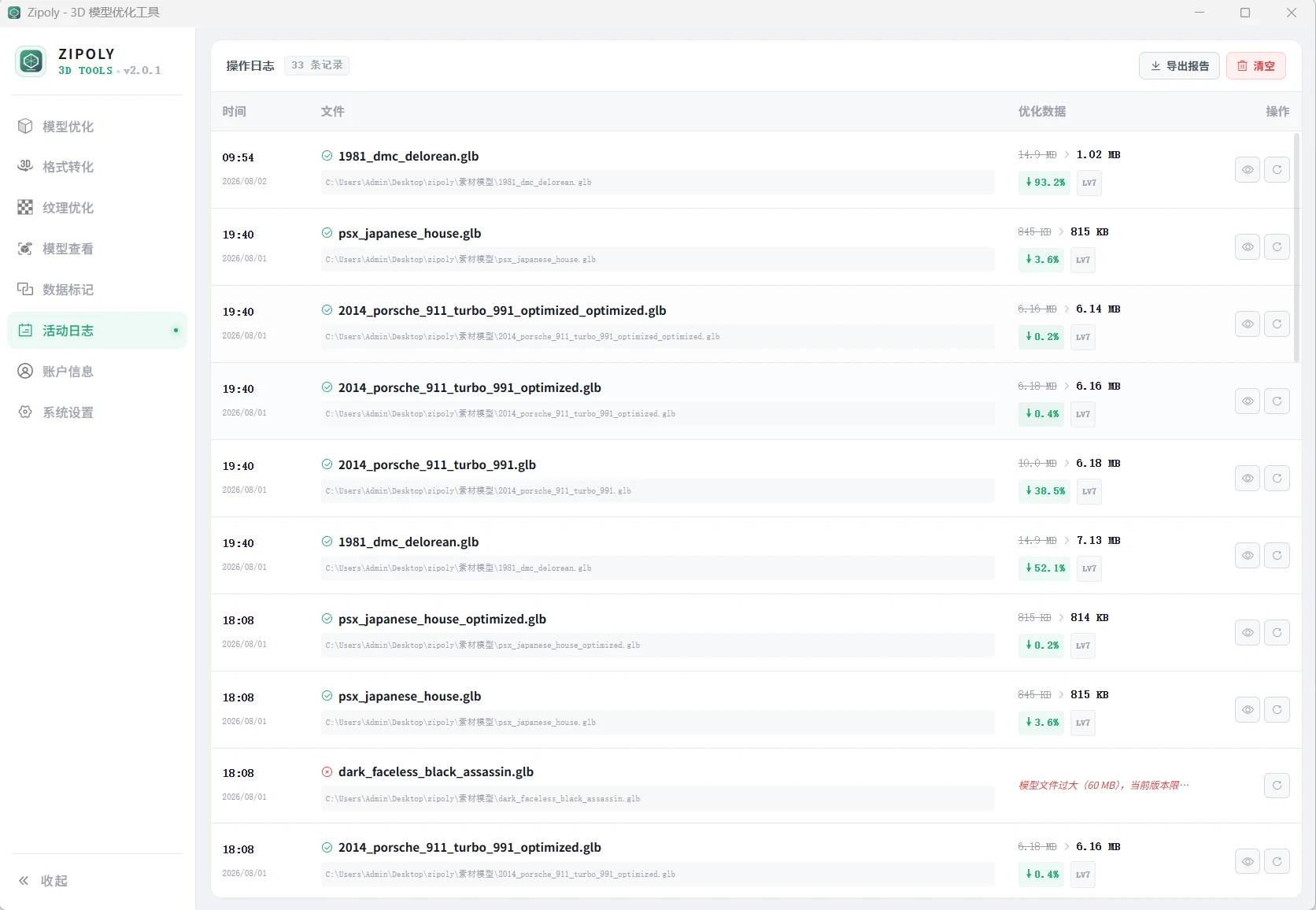
What Is Recorded
| Field | Description |
|---|---|
| Time | When the job finished |
| Input / output path | Locations of the original and compressed files |
| File size | Size before and after compression |
| Compression ratio | How much volume was saved |
| Status | Success / failure — batch tasks are logged per file |
Common Actions
- View history — open "Operation History" in the left navigation; entries are listed newest first
- Reuse parameters — click the refresh icon on an entry to restore its exact parameters and jump to the optimization page
- Preview file — click the eye icon to open that entry's output file in a 3D preview window
- Export report — click "Export Report" and choose a format
- Clear history — irreversible; export a report first
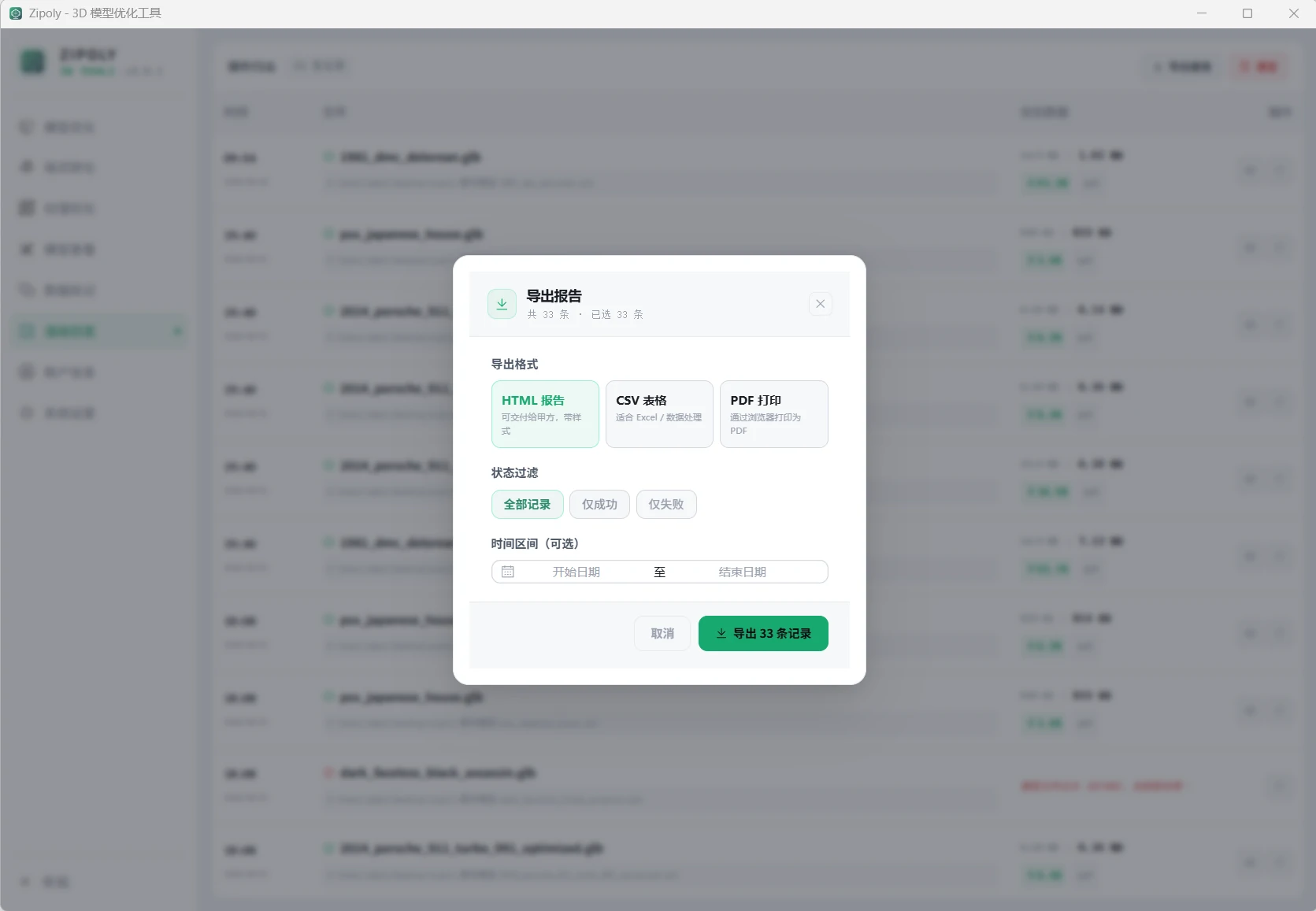
Report Formats
| Format | Best for |
|---|---|
| CSV | Importing into Excel / spreadsheets for analysis |
| HTML | A visual report that opens in any browser, easy to share |
| Printing or archiving |
Typical Uses
- Monthly compression stats: export CSV → pivot in Excel → report optimization results to your team
- Delivery records: export an HTML/PDF report right after compressing and hand it over with the output files — before/after data included
- Same-parameters next batch: click the refresh icon on the last job to reuse its parameters for the next batch
Limits
- Up to 100 entries are kept — export important reports in time
- History is stored locally only, never uploaded
- Clearing is irreversible — export before clearing
- Operation history, like screenshots and recording, is free forever
FAQ
How do I export the compression history?
Click Export Report on the Operation History page and choose CSV (data stats), HTML (visualized) or PDF (print/archive), then pick a save location.
Where is the history stored? Is it uploaded?
Locally only — nothing is uploaded. History survives app restarts, up to 100 entries.
How do I reuse the parameters from a previous job?
Click the refresh icon on that entry: the parameters are restored and you jump straight to the optimization page.
Can cleared history be recovered?
No. Export a report (CSV/HTML/PDF) before clearing if you may need it later.
Is the history feature paid?
No. Operation history is free forever, along with the 3D viewer, screenshots and recording — identical in the free and licensed tiers.
An entry shows "failed" — what now?
Follow Troubleshooting (the top cause on Windows is the missing VC++ runtime), fix it, and recompress from the optimization page; a failed job never touches your original file.