System Settings
System Settings centralizes Zipoly's global configuration: default compression parameters, output file naming, compression engine diagnostics and update checks. Settings apply to all compression and conversion tasks and are saved instantly.
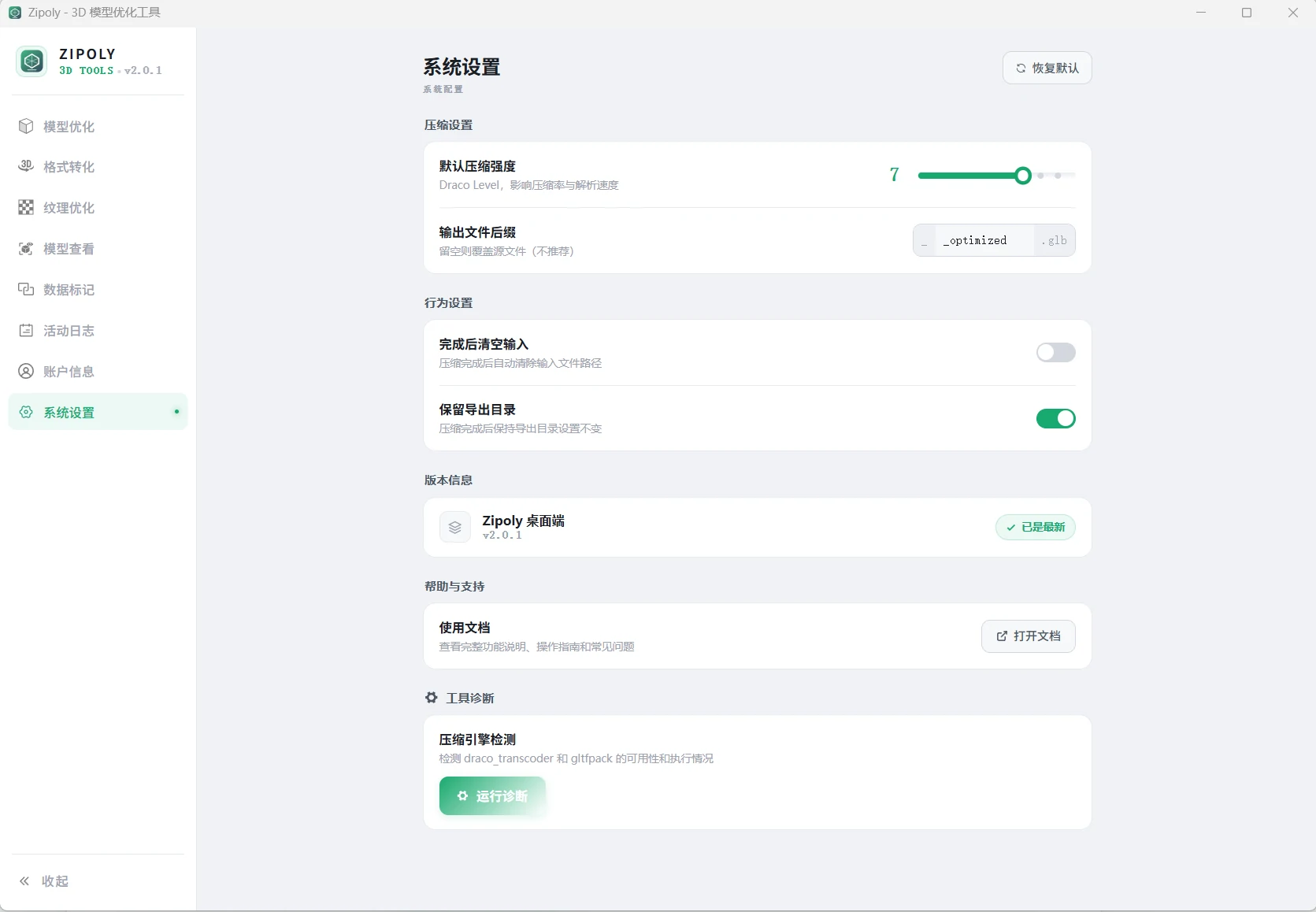
Defaults
| Setting | Default | Description |
|---|---|---|
| Default compression level | 7 | Initial compression strength at startup |
| Output file suffix | _optimized | Appended to filenames to prevent overwriting originals |
| Clear input when done | Off | Useful for pipeline workflows |
| Remember export folder | On | Remembers the last chosen directory |
Recommended Settings by Scenario
| Scenario | Suggested changes |
|---|---|
| Everyday personal use | Keep all defaults |
| Pipeline-style processing | Enable "Clear input when done" to auto-clear the list |
| Multi-project switching | Keep "Remember export folder" on to avoid re-picking directories |
| Keeping originals for comparison | Never leave the _optimized suffix empty (output is a new file and never overwrites the original) |
Tool Diagnostics
When compression or conversion stops working, troubleshoot as follows:
- Open the "System Settings" page in the left navigation
- Find the "Tool Diagnostics" area and click Run Diagnostics
- Wait 1–2 seconds and check the results for the Draco and Meshopt engines
- Fix any flagged items per the table below, then run diagnostics again to confirm
| Status | Meaning | Solution |
|---|---|---|
| ✓ OK | Engine runs normally | Nothing to do |
| ✗ Cannot execute | Missing runtime or blocked | Install the VC++ runtime or whitelist it in your antivirus |
| ✗ Not found | Tool files missing | Reinstall the app |
| ⚠ No response | Execution timed out | Check permissions and antivirus |
For detailed steps, see Troubleshooting.
Updates
The bottom of the Settings page shows the current version, with a one-click update check (fetched from Gitee Releases) and a link to the online docs.
License Activation
License activation has moved to the Account page. See Licensing & Pricing for purchase flow, plans and free tier limits.
Next Steps
- Diagnostics show an error you can't fix? → Troubleshooting
- Defaults set — run your first compression → Model Compression
- Need bigger files and batches? → Licensing & Pricing
FAQ
What is the default compression level? Should I change it?
The default is 7, suitable for most Web3D scenarios. Precision-first engineering/medical models can go down to 1–3; mobile/low-bandwidth targets can use 8–9. See Model Compression.
Compression is not working — what do I check first?
Run Tool Diagnostics on the Settings page (results in 1–2 seconds). Most failures come from a missing VC++ runtime or antivirus interference — follow the suggested fix.
How do I check for updates?
Open the Settings page: the bottom shows the current version with a one-click update check. Updates are fetched from Gitee Releases.
Where do output files go? Will they overwrite my originals?
Output filenames get the _optimized suffix (customizable in settings), so the result sits alongside the original — nothing is overwritten; if the suffix is emptied, an _1 counter is added instead. The export folder defaults to your last selection.